Most “AI try-on” demos look perfect until you check the face. Then the model becomes a cousin. Or the jacket floats. Or the logo on the tee turns into alphabet soup.
I stress-tested Nano Banana 2 virtual try-on on NanoBananaTool with two-image inputs (person + garment), streetwear and formal looks, and ecommerce crop rules. This is the outfit-transfer workflow that looked real enough to ship — plus the failures that still happen.
In this article
- TL;DR try-on workflow
- What to upload (and what not to)
- Prompt formulas that preserve the face
- Lighting and fabric fixes
- Common failures
- Try it in NanoBananaTool
- FAQ
TL;DR try-on workflow
| Step | Do this |
|---|---|
| 1 | image 1 = person (clear face, neutral pose) |
| 2 | image 2 = garment / outfit flat or on-form |
| 3 | Prompt: preserve face/body from image 1 first |
| 4 | Then describe fit, fabric, and camera |
| 5 | Regenerate with identical identity language if the face drifts |
Try outfits in your browser
Upload a model and a garment, lock identity, generate ecommerce-ready try-ons.
Start Virtual Try-On on NanoBananaTool
What to upload (and what not to)
Good person refs
- Sharp eyes and mouth
- Simple pose, arms away from torso when possible
- Even light (heavy neon selfies fight the garment light)
Good garment refs
- Flat lay or clean on-form shot
- Full silhouette visible
- Logo readable if branding matters
Avoid
- Busy group photos as “the model”
- Tiny product crops of a sleeve only (unless you only need that part)
- Filters that melt skin texture
Prompt formulas that preserve the face
Base formula
Put the outfit from image 2 onto the person in image 1.
Preserve exact face, body identity, skin tone, and proportions from image 1.
Realistic fabric drape and wrinkles. Match lighting between person and garment.
Ecommerce fashion photo, high detail. Do not alter facial features.
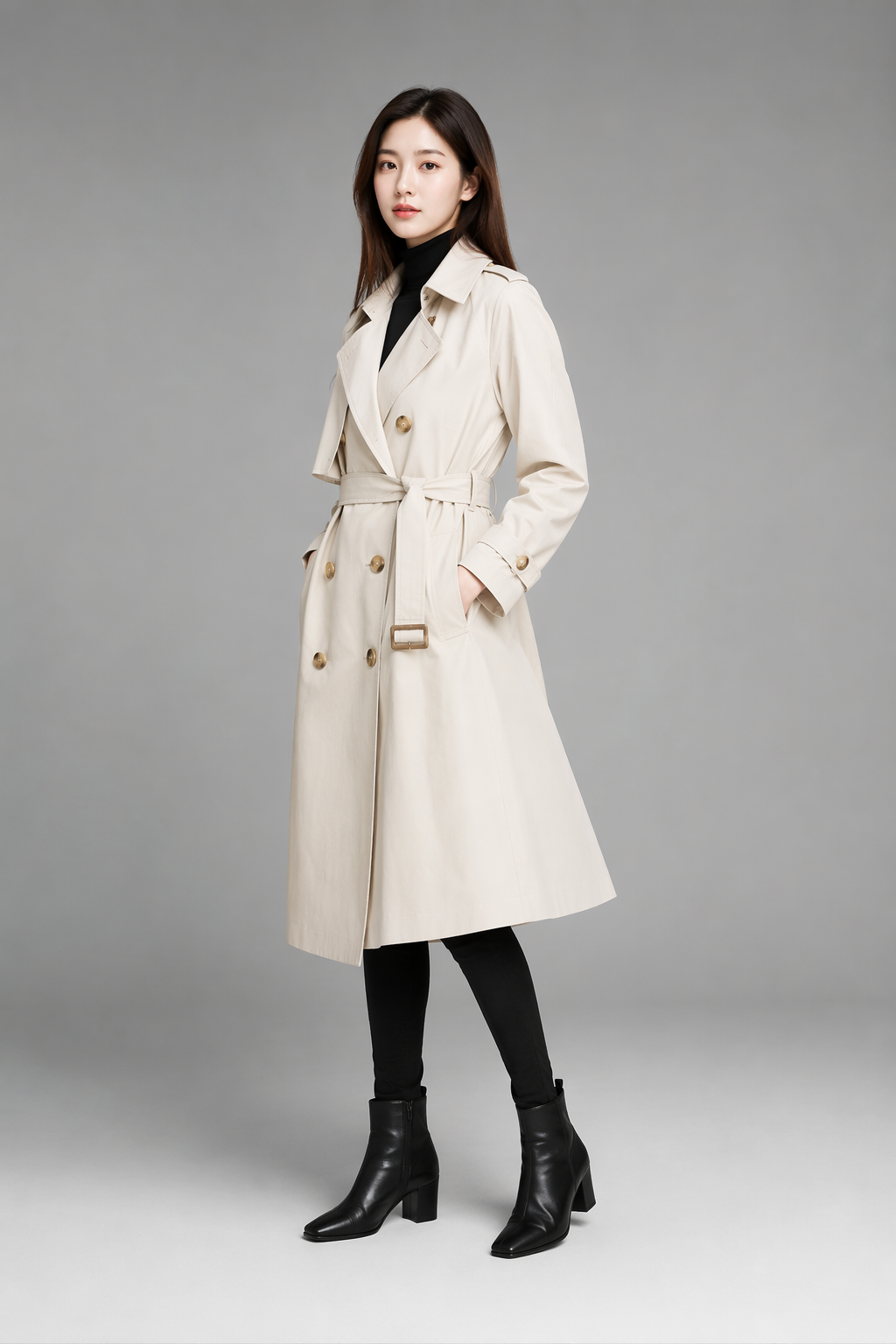
Street style
Dress the person in image 1 with the outfit from image 2.
Keep identity from image 1. Natural layering, correct scale, soft daylight.
Street-style lookbook, full body, clean background.
Jacket over current clothes
Add the jacket from image 2 over the clothes of the person in image 1.
Preserve face and body from image 1. Realistic collar and sleeve fit.
Studio softbox, fashion ecommerce.
Identity language first. Fashion adjectives second. That order matters more than people admit — same idea as the character consistency guide.
Lighting and fabric fixes
| Symptom | Fix |
|---|---|
| Face changes | Shorter scene; “preserve face from image 1” first line |
| Garment color shifts | Name the color once; sharper garment ref |
| Floating fabric | Add “realistic contact with body, natural wrinkles” |
| Logo melt | Crop garment ref tighter; “preserve exact logo” |
| Wrong sleeve length | Add “correct garment scale for this body” |
Common failures
- Prompt describes a new person — you rewrote hair/eyes and broke the lock.
- Garment ref is a lifestyle mess — model can’t find the clothing silhouette.
- Too many style artists in one prompt — identity loses to aesthetic spam.
- Expecting perfect brand typography every time — use Pro for hero fails (tier guide).
Try it in NanoBananaTool
- Open Generate.
- Upload person + garment.
- Paste the base formula; change only fit/camera words.
- Save winners into Banana Prompts for reuse.
- Optional: animate a still with Seedance 2.0.
Outfit transfer without a photoshoot
Model ref + garment ref → try-on frames in the browser.
Final verdict
Nano Banana 2 virtual try-on works when you treat it like compositing with rules: identity from the person, clothing from the garment, lighting negotiated in the prompt. It is not magic cosplay paste — and that is why it looks better when you stay disciplined.
FAQ
Can Nano Banana 2 do virtual try-on with two images?
Yes. Use person as image 1 and garment as image 2, and lock identity before describing the outfit.
Why does the face change after try-on?
Usually the prompt re-describes the person or buries identity under style words. Put preserve-face language first.
Do I need Nano Banana Pro for try-on?
Not for drafts and most lookbooks. Use Pro when a final hero still drifts or logos must stay perfect.
Where can I practice this?
On NanoBananaTool Generate. Related prompts also live in the ecommerce prompt pack.